Workshops_6.gif

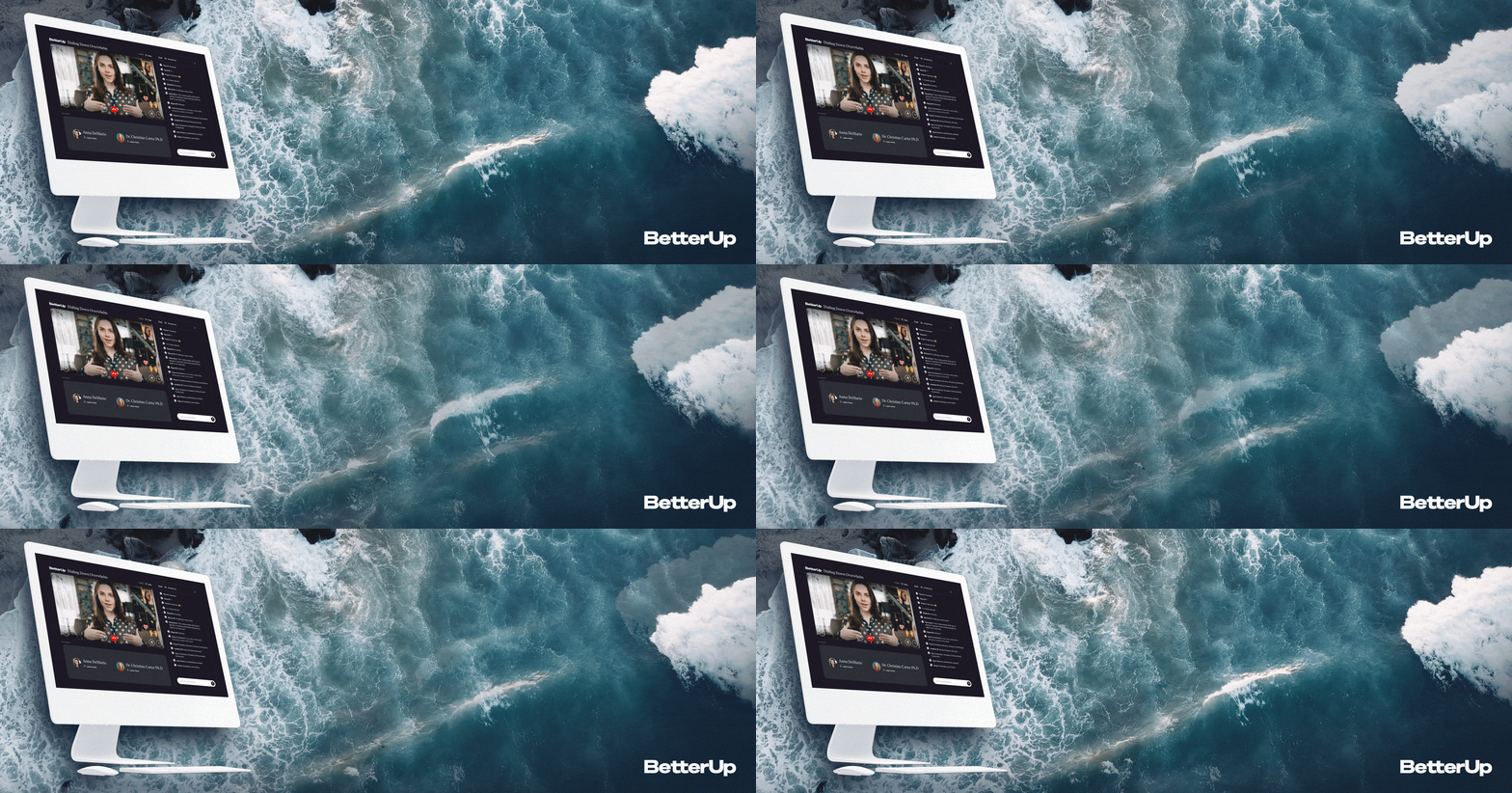
BetterUp Workshops

Workshops is a one-to-many group coaching experience with integrated interactive features like worksheets.
  My contribution:   For this project, I iterated on a version 2.0 for an existing MVE that was seeing success.   The goals were to improve design, update the MVE to match the greater product design system, maintain a high Net Promoter Score in the c

My contribution: For this project, I iterated on a version 2.0 for an existing MVE that was seeing success.

The goals were to improve design, update the MVE to match the greater product design system, maintain a high Net Promoter Score in the core experience, design new quality of life features for the facilitators, and to build out an improved sign up functionality which would feed into the core experience.

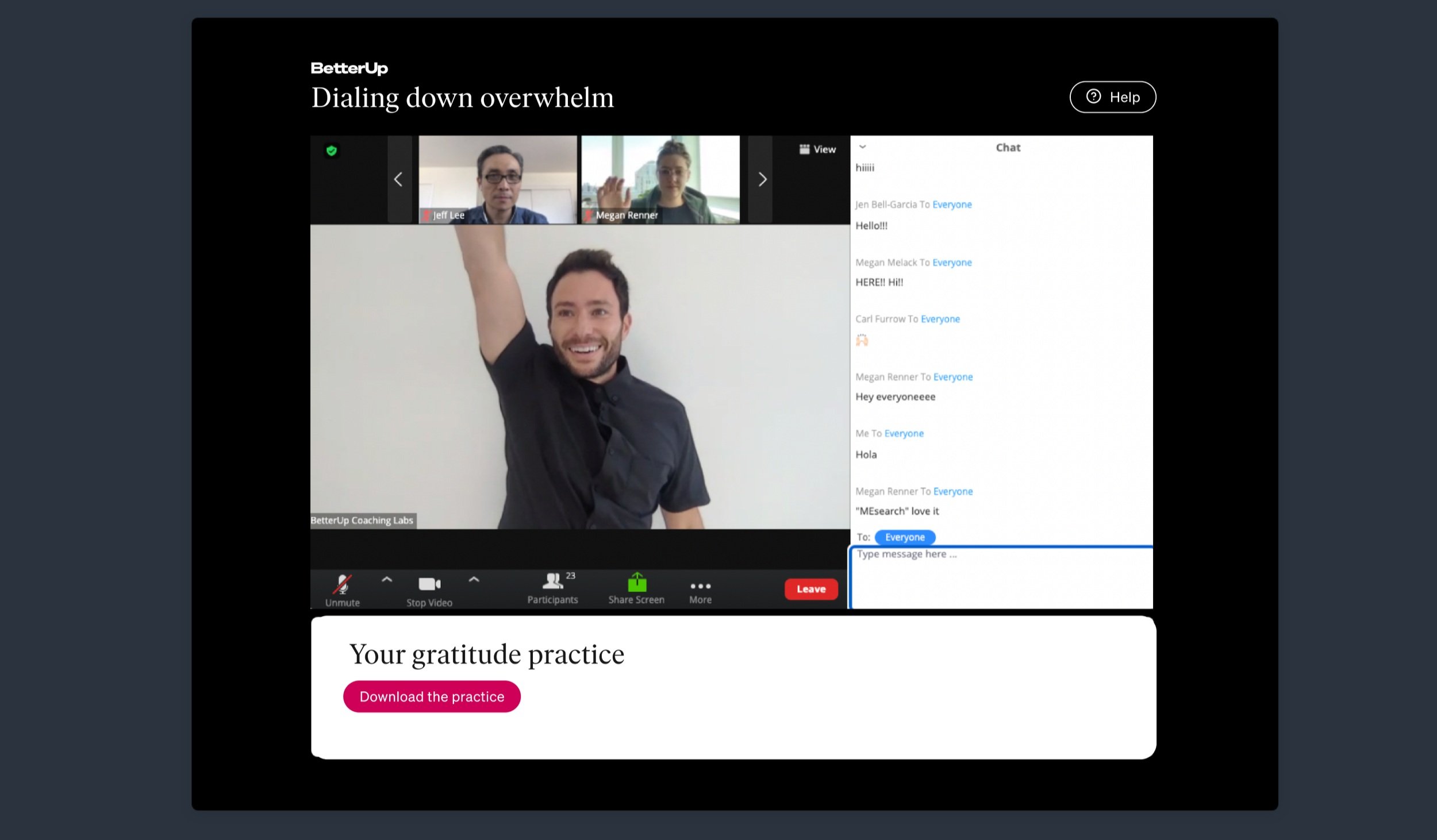
 The original MVE shown above was built to launch as quickly as possible, using Zoom as a base, along with some extra custom components, which meant that the experience was external to the rest of the BetterUp platform product, and had limited featur

The original MVE shown above was built to launch as quickly as possible, using Zoom as a base, along with some extra custom components, which meant that the experience was external to the rest of the BetterUp platform product, and had limited features.

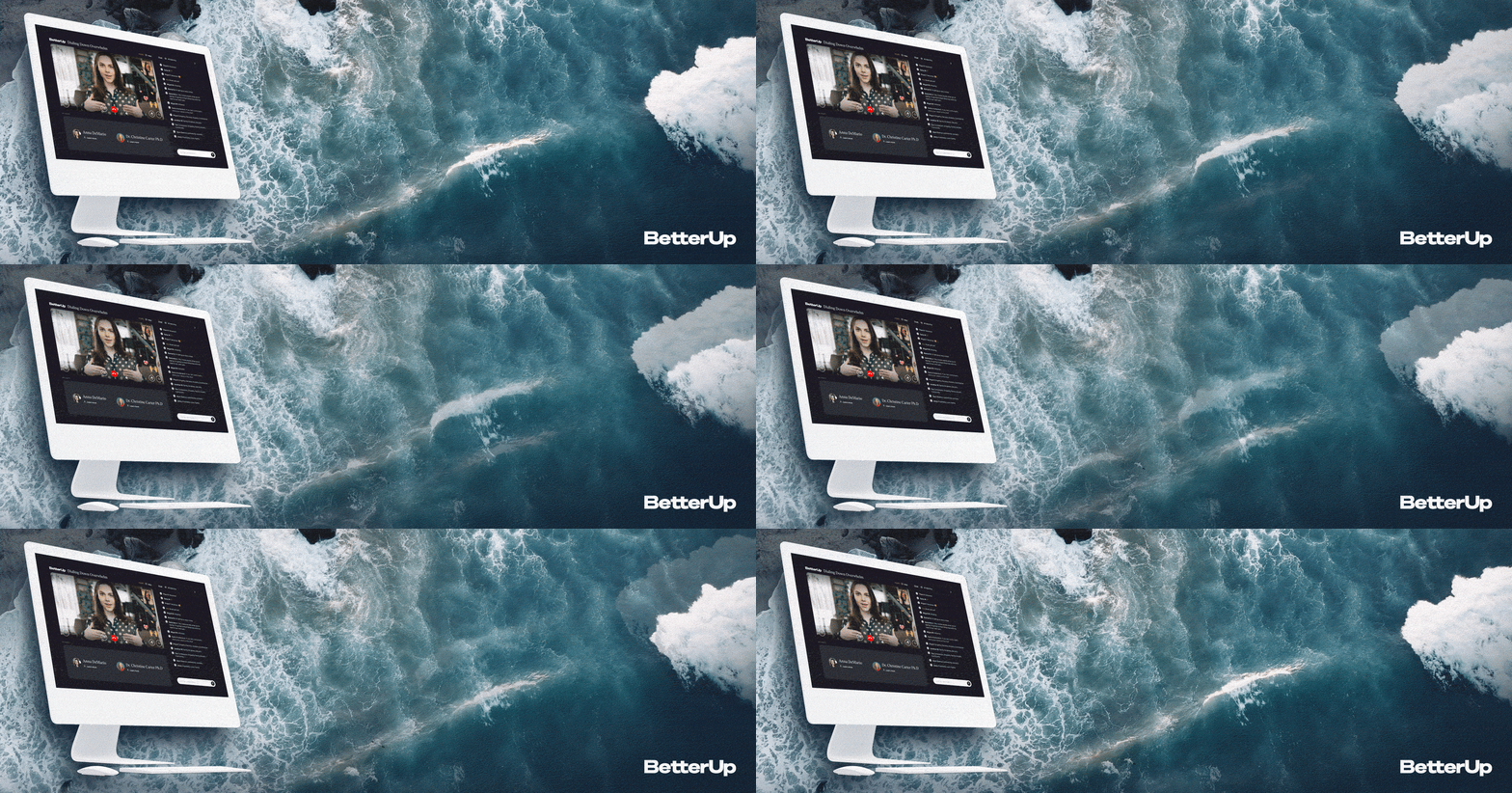
With the new design, all the components including video, chat, and other features would now be on-platform.

Workshops are high energy and fast-paced at 20 minutes in length. Most of the participants are joining during their work day and the topics typically center around well-being and personal growth.

In order to understand what problems to address in the new design, we had a robust survey at the end of each session that the host would ask the participants to complete. Survey completion rates were high.

This data was invaluable, allowing us to track NPS for the experience, to measure the frequency with which certain features were requested, and to estimate the impact those features would have on improving the experience.

 As a designer at BetterUp you maintain and have access to a robust design system library. This allows rapid prototyping at high fidelity, so wireframes weren’t needed for this particular project. I jumped straight into solutions.  The interesting ch

As a designer at BetterUp you maintain and have access to a robust design system library. This allows rapid prototyping at high fidelity, so wireframes weren’t needed for this particular project. I jumped straight into solutions.

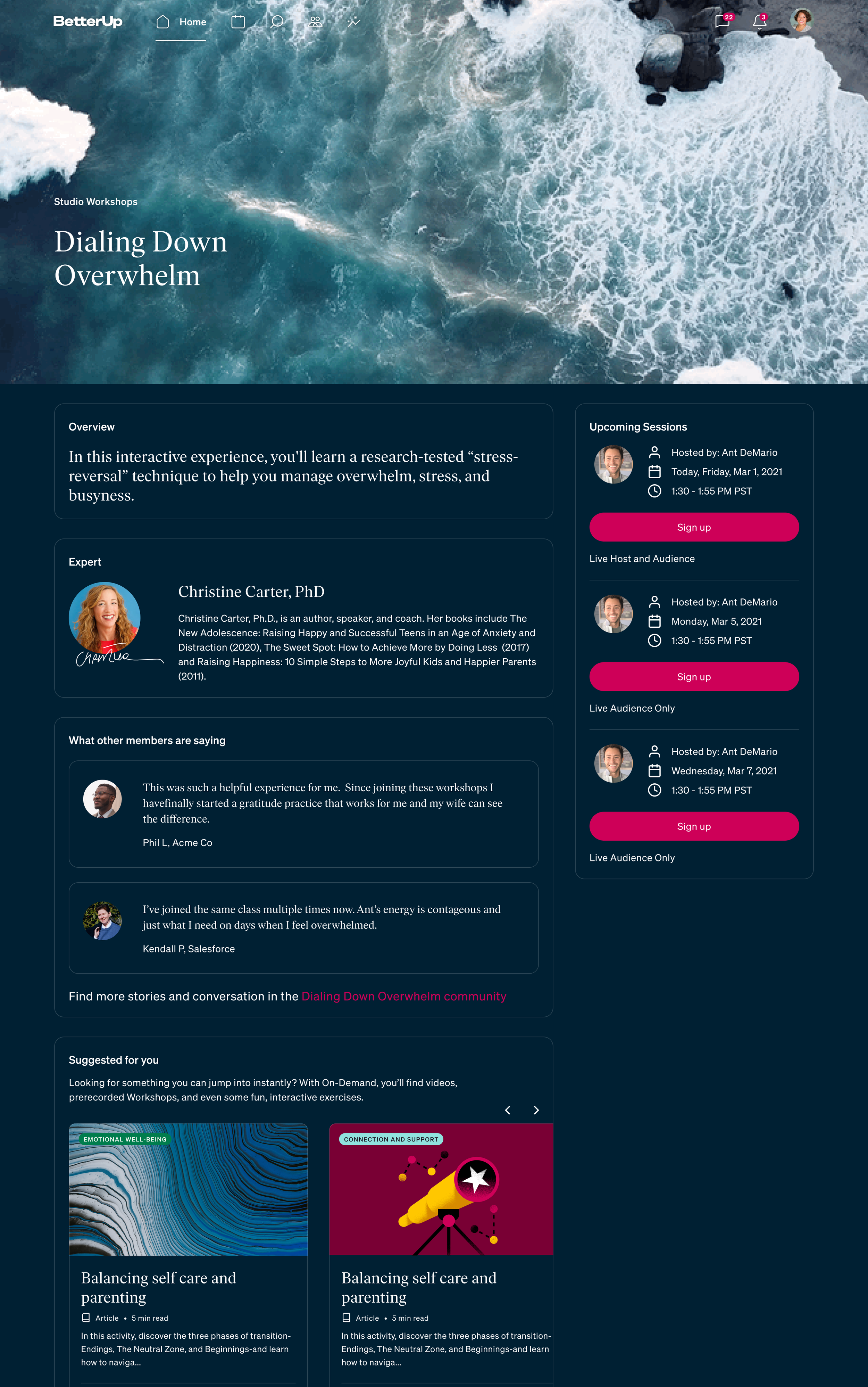
The interesting challenge on the sign up page was distinguishing between experts and hosts.

The host is a live coach facilitating the event while the expert is featured in video clips shown during the event. A workshop “episode” always has the same expert featured but it could be hosted by any number of different hosts.

Our team planned to greatly increase the number of hosts, experts, and topics available, so this info needed to be clear and scalable.

After testing some designs for the information layout of the sign-up page we settled on this one as the most intuitive for members for understanding all the details of individual workshops and their possible sessions.

 Prior to joining the session the participant would see some info to prepare them for the experience.   In the original version of the experience, participants were confused about whether anyone could see their video, and there was no prep for the ex

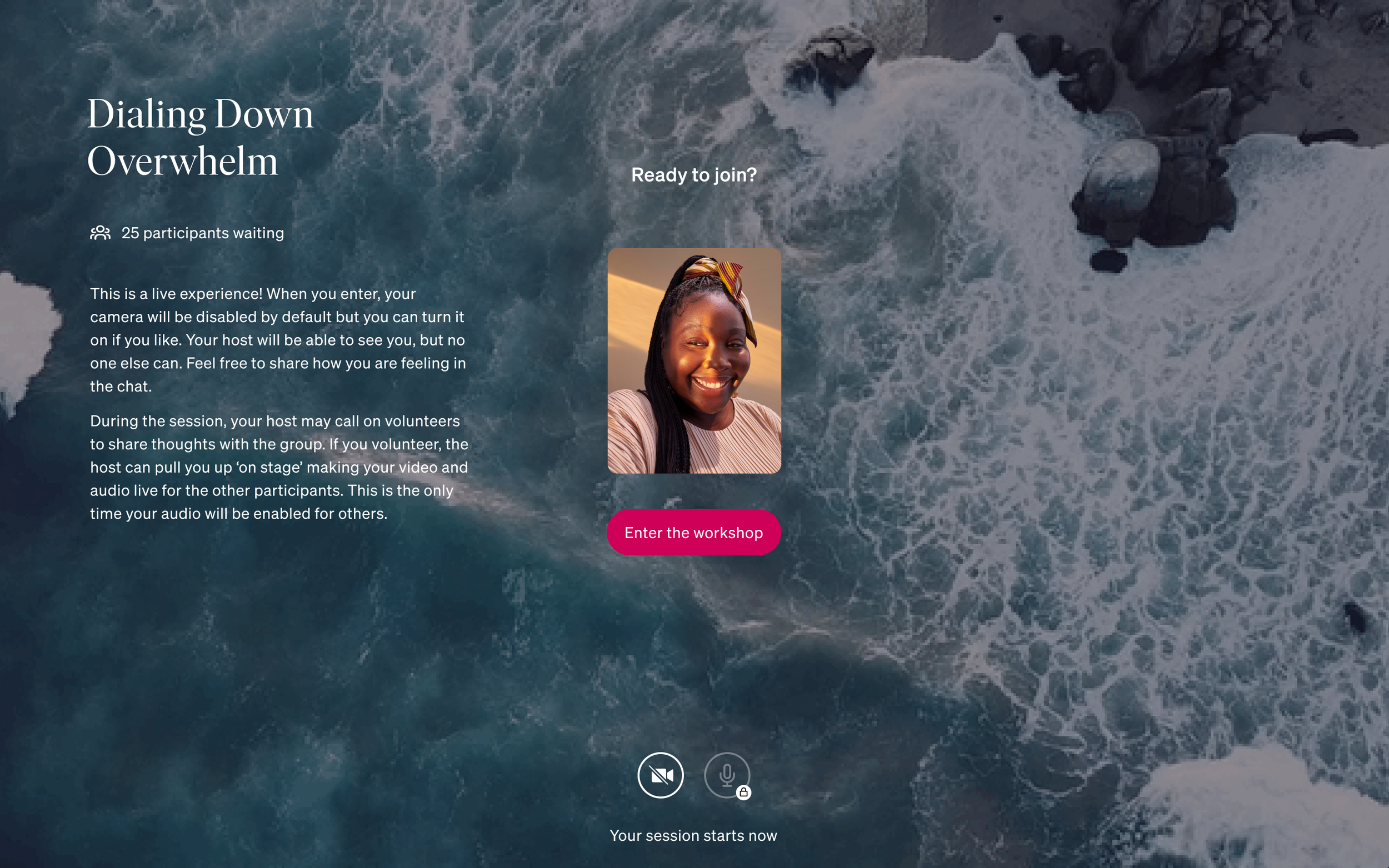
Prior to joining the session the participant would see some info to prepare them for the experience.

In the original version of the experience, participants were confused about whether anyone could see their video, and there was no prep for the experience, they simply jumped straight into the event.

This screen allowed them to choose the settings they were most comfortable with before joining, as well as gave some context if it was their first time participating.

Participant view.png
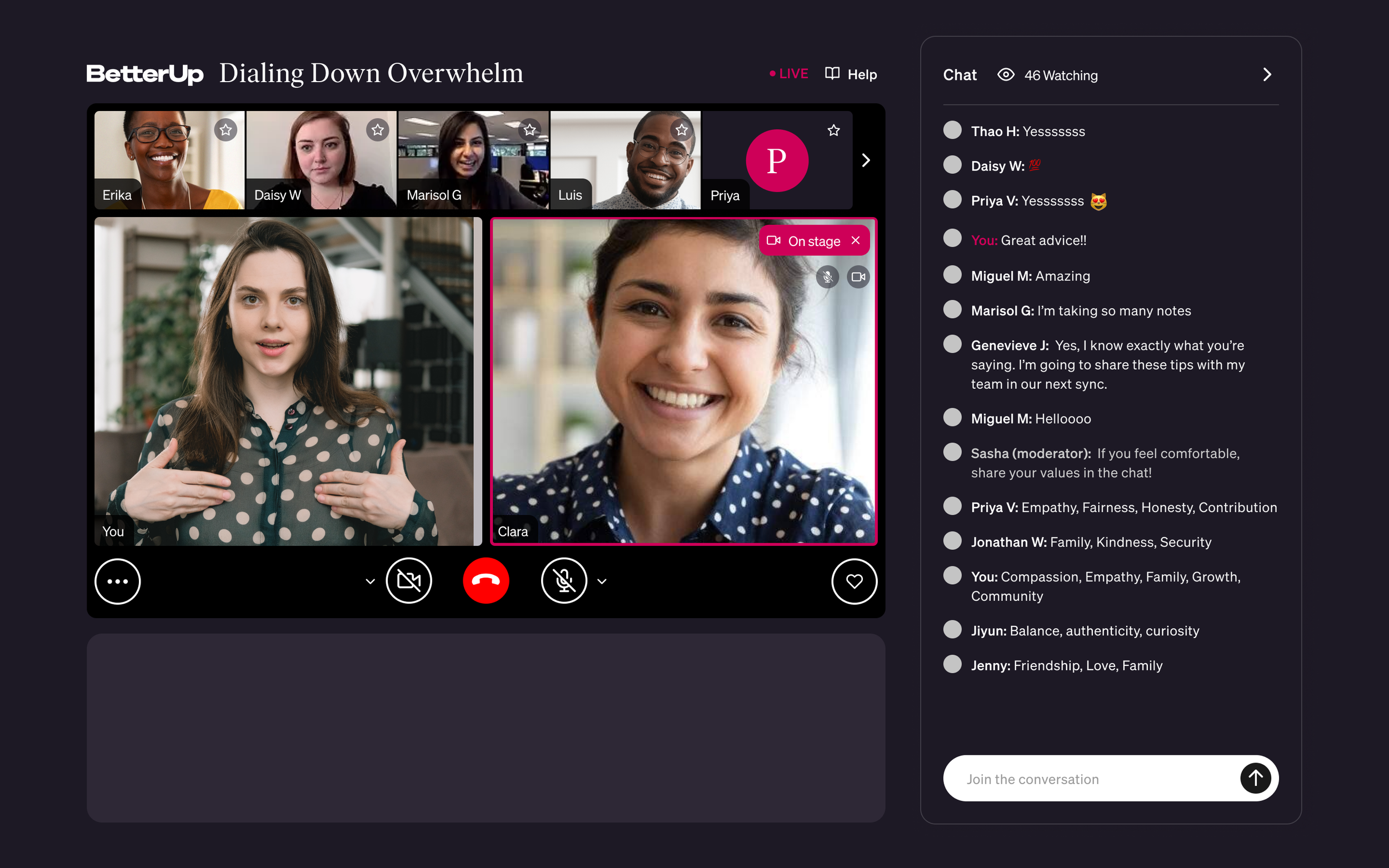
 Once in the experience, members had access to several interactive enhancements.  The chat allowed for discussion among everyone in the event, and they could show appreciation for what was being discussed with on screen emojis.   The lower box could

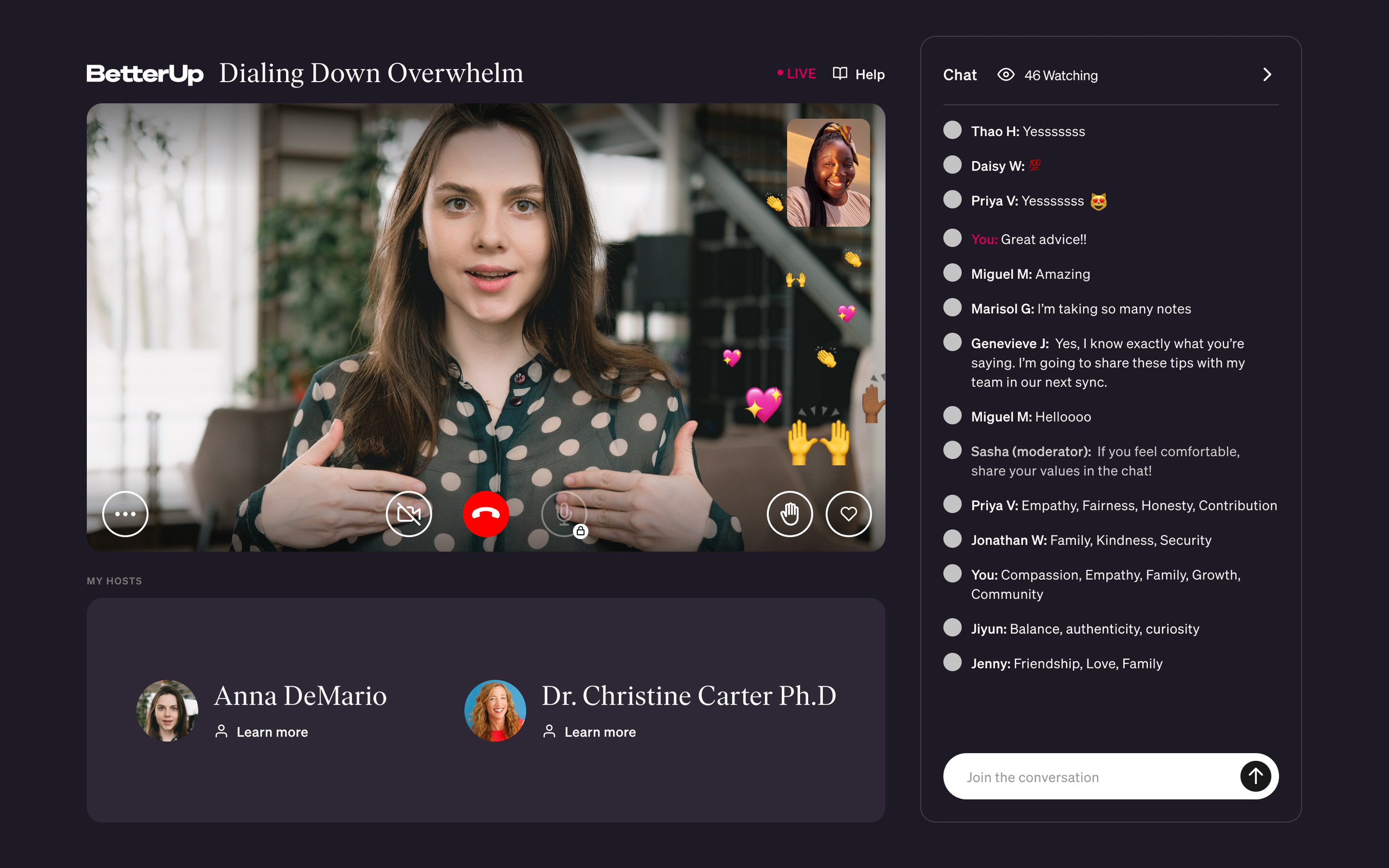
Once in the experience, members had access to several interactive enhancements.

The chat allowed for discussion among everyone in the event, and they could show appreciation for what was being discussed with on screen emojis.

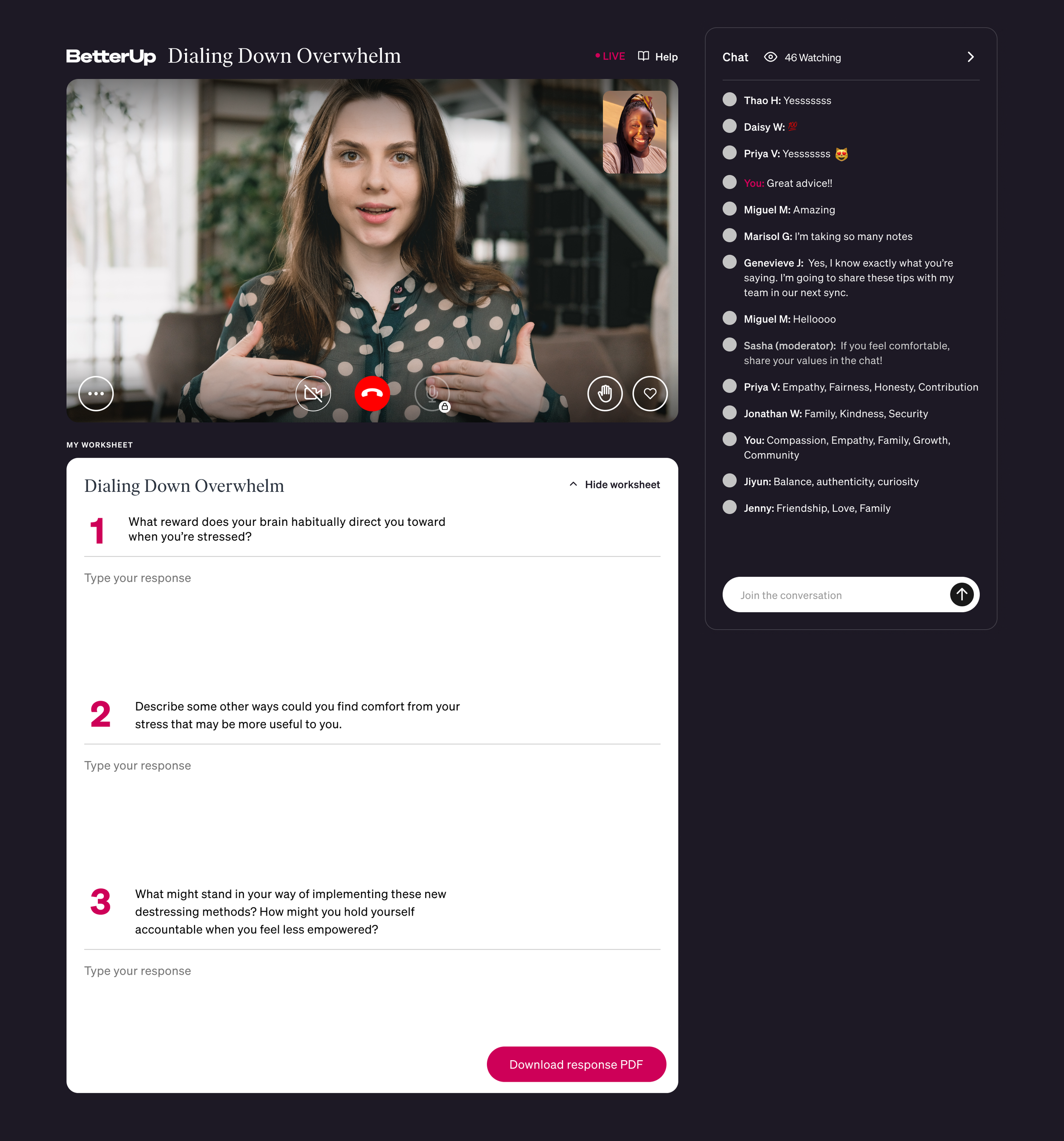
The lower box could be engaged by the facilitators to show various content, including an interactive worksheet which the host could lead the participants though. At the end, the participant could receive a PDF of their filled in worksheet.

All of these features helped contribute to a high energy experience lead by the host.

Many participants noted feeling emotional during the workshops and rated it as a powerful experience.

 During sessions there is a sharing portion, where a participant could be brought “on stage” by the host. This is the host’s view with a participant on stage.

During sessions there is a sharing portion, where a participant could be brought “on stage” by the host. This is the host’s view with a participant on stage.

  The final results:    The new experience launched with a high NPS.   People appreciated the new design saying:    “This was all the best parts of peloton with more science and less sweat.”    “Chat worked so much better in this version and I apprec

The final results:

The new experience launched with a high NPS.

People appreciated the new design saying:

“This was all the best parts of peloton with more science and less sweat.”

“Chat worked so much better in this version and I appreciated the ability to see myself-- felt more personalized/present to have me and speaker faces on the same screen.”